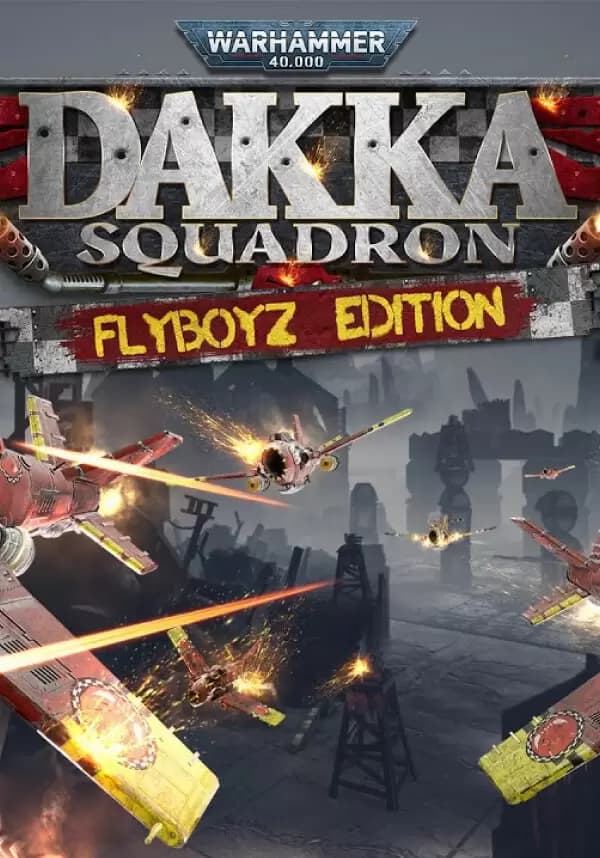
Warhammer 40,000: Dakka Squadron - Flyboyz Edition
А со СберПрайм можно получить 17 Подключить
Дополнительно при оплате Молодёжной СберКартой 68


Warhammer 40,000: Dakka Squadron - Flyboyz Edition.
Blazing, Ork aerial combat waged across 41st millennium battlefields.
Dakka Squadron is a fast-paced, aerial shooter where you are an Ork Flyboy, taking to the skies to do what Orks do best - fight!
Fly across alien worlds, against insane odds, blasting away with your Supa-Shootas to destroy enemy air forces and ground targets, while unlocking new weapons and upgrading your plane to be the most “dead killy” Flyboy in the sky.
Choose an Ork Clan and customize your jet to augment your play style.
Fly Dakkajets, Burna-Bommas, and Blitza-Bommas, equip them with an array of guns, bombs, and missiles, learn special maneuvers, and unleash your dakka and test your mettle against your fellow Flyboys in a deathmatch multiplayer mode, and against deadly enemies in the campaign.
Features:
Orky Campaign:
- Fly your way through the campaign where the Orks squabble over who will lead them on a new Waaagh!
- Explore incredible environments across multiple planets in the single-player campaign.
- Fantastic voice acting and dialog unveil a plot that captures the grim humour of the Warhammer 40,000 universe
Burn da Skies:
- Master dog fighting, dive bombing, and carpet bombing and use different playstyles to complete varied air to air, and air to ground missions.
- Use barrel rolls, snap turns, and boosts to avoid any incoming fire or to turn da tables on yer enemies!
- Blast other players and AI to zog, in the deathmatch multiplayer mode. Bring your jets from your campaign loaded for war!
- Complete missions and amass teef to unlock powerful Orky weapons and receive gubbinz upgrades.
- Game pad support.
- The first video game built from the ground up by Orks for Orks.
Warhammer 40,000: Dakka Squadron © Copyright Games Workshop Limited 2020
Вы получите на электронную почту ключ для активации в сервисе Steam. Активируйте его одним из этих способов.
Способ 1: Через приложение Steam на ПК
1. Откройте приложение Steam на своем компьютере.
В левом верхнем меню нажмите на раздел «Игры».
В выпадающем списке выберите пункт «Активировать в Steam...».
Введите полученный код активации и нажмите «Далее».
Следуйте подсказкам на экране, чтобы завершить активацию.
Всё готово! Игра появится в вашей Библиотеке, и вы сможете начать установку.
Способ 2: Через сайт Steam в браузере
Этот способ удобен, если вы совершили покупку с телефона или другого устройства.
1. Перейдите на страницу активации Steam в своем браузере:
https://store.steampowered.com/account/registerkey
Убедитесь, что вы авторизованы в своем аккаунте Steam.
Введите полученный код активации в специальное поле.
Поставьте галочку, чтобы принять «Соглашение подписчика Steam».
Нажмите кнопку «Продолжить».
Готово! Игра будет привязана к вашему аккаунту и появится в Библиотеке, когда вы в следующий раз запустите клиент Steam.
Важно: Код активируется на том аккаунте Steam, в который вы его ввели. Перенести игру на другой аккаунт будет невозможно.
 Возможно вас заинтересует