TinyShot
А со СберПрайм можно получить 17 Подключить


TinyShot is being developed by the young and passionate creator Allaith Hammed “ZAX” who moved out to the Netherlands from war-torn Syria. Settling in his new home country, he decided to start working on the thing that he liked the most: creating games. At an age of seven, he fell in love with video games when he played on his uncle’s PC for the first time. Since then he knew that this is what he'll be doing for the rest of his life. A few years went by and here he is, doing what the young version of him wanted to do but didn't know how. The game is his first publisher-supported commercial release and is highly inspired by the works of one of ZAX’s idol game creators Edmund McMillen.
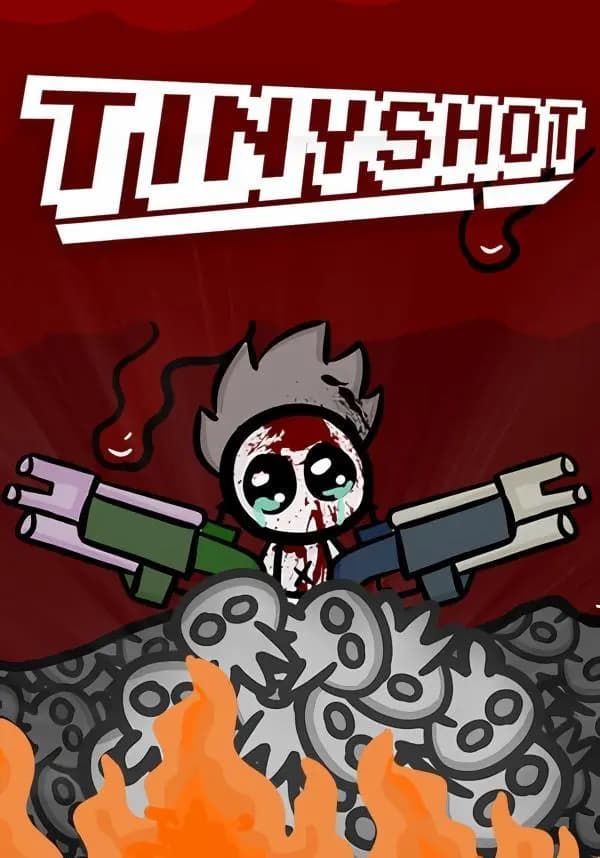
TinyShot is a 2D arcade shooting game where you play as this little creature who signed a deal with the devil to get him his lost horn and earn love and fame in return.
The world of TinyShot is full of these cute yet tortured creatures living in the underworld a place that the player should go through to achieve his goal.
With each level you will be equipped with guns and melee weapons to help you conquer the waves of enemies in that area, you will also get better at moving smoothly around the environment using mechanics like the grapple gun or the dash abilities because dodging enemies is as important as blasting them.
Features:
- The art style is a mix of realistic nature elements with flash/cartoony looking creatures
- The game-feel is one of the most important elements that is designed to satisfy the player
- Challenging boss battles and enemies
- Random Items to be picked in the battlefield
Вы получите на электронную почту ключ для активации в сервисе Steam. Активируйте его одним из этих способов.
Способ 1: Через приложение Steam на ПК
1. Откройте приложение Steam на своем компьютере.
В левом верхнем меню нажмите на раздел «Игры».
В выпадающем списке выберите пункт «Активировать в Steam...».
Введите полученный код активации и нажмите «Далее».
Следуйте подсказкам на экране, чтобы завершить активацию.
Всё готово! Игра появится в вашей Библиотеке, и вы сможете начать установку.
Способ 2: Через сайт Steam в браузере
Этот способ удобен, если вы совершили покупку с телефона или другого устройства.
1. Перейдите на страницу активации Steam в своем браузере:
https://store.steampowered.com/account/registerkey
Убедитесь, что вы авторизованы в своем аккаунте Steam.
Введите полученный код активации в специальное поле.
Поставьте галочку, чтобы принять «Соглашение подписчика Steam».
Нажмите кнопку «Продолжить».
Готово! Игра будет привязана к вашему аккаунту и появится в Библиотеке, когда вы в следующий раз запустите клиент Steam.
Важно: Код активируется на том аккаунте Steam, в который вы его ввели. Перенести игру на другой аккаунт будет невозможно.