KovaaK’s Tracking Trainer
Проверяем бонусную выгоду…
Дополнительно при оплате Молодёжной СберКартой 22


Updated with new visuals and six new skills to train and master!
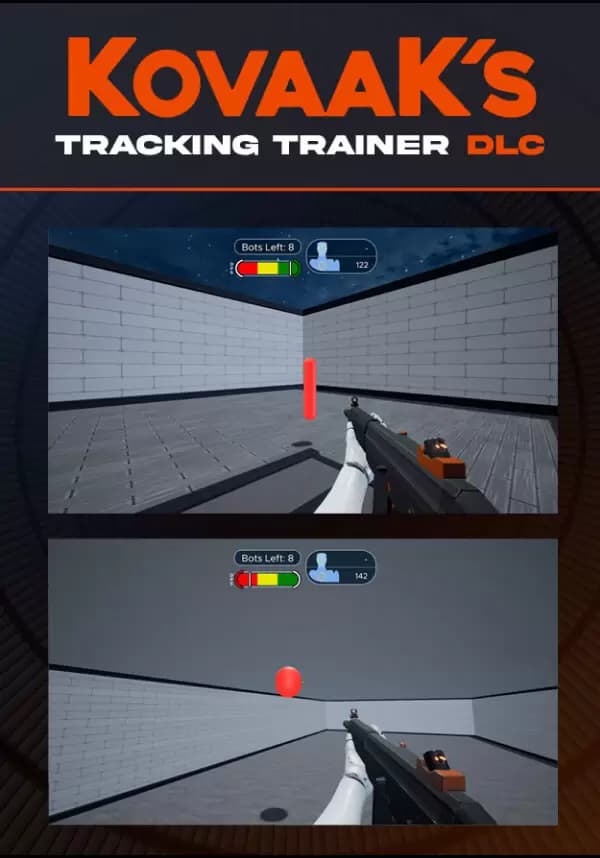
Designed by KovaaK himself, this guided trainer will help you quickly perfect your target tracking.
Great tracking is all about smoothness and this trainer will help you get results faster. There are eleven core skills to perfect, each featuring five difficulty levels—you’ll always have something to focus on. Bots are wired with dynamic difficulty and get harder as you perform better. A new ranking system shows your progress toward each level. New charts show your progress and how smooth you really are.
Take the next step on your journey to becoming a god-tier sharpshooter. Consider us your gym and personal coach for FPS skills training. This Trainer DLC plus KovaaK's helps you practice your aim in a fun, stress-free environment without distractions, so you can rapidly accelerate your improvements without needing to grind FPS games for thousands of hours.
DLC FEATURES
- Eleven core skills: Horizontal Smoothness Tracking, Bounce Smoothness: Body Tracking, Bounce Smoothness: Head Tracking, Vertical Smoothness Tracking, Diagonal Smoothness Tracking, Far Ground Reactivity, Mid Ground Reactivity, Close Ground Reactivity, Far Air Reactivity, Mid Air Reactivity, Close Air Reactivity.
- Ranking system makes it easy to chart your progress.
- Five levels of difficulty for each skill.
- Dynamic difficulty adjusts bots while you play.
- Bot difficulty graph.
- Horizontal smoothness graph (for smoothness levels).
- Vertical smoothness graph (for smoothness levels).
- Highly responsive input from a tweaked Unreal Engine 4 with approval from top CS:GO, Valorant, Fortnite, Overwatch, and Quake professional players who have tested and provided feedback.
- Single-player only.
Вы получите на электронную почту ключ для активации в сервисе Steam. Активируйте его одним из этих способов.
Способ 1: Через приложение Steam на ПК
1. Откройте приложение Steam на своем компьютере.
В левом верхнем меню нажмите на раздел «Игры».
В выпадающем списке выберите пункт «Активировать в Steam...».
Введите полученный код активации и нажмите «Далее».
Следуйте подсказкам на экране, чтобы завершить активацию.
Всё готово! Игра появится в вашей Библиотеке, и вы сможете начать установку.
Способ 2: Через сайт Steam в браузере
Этот способ удобен, если вы совершили покупку с телефона или другого устройства.
1. Перейдите на страницу активации Steam в своем браузере:
https://store.steampowered.com/account/registerkey
Убедитесь, что вы авторизованы в своем аккаунте Steam.
Введите полученный код активации в специальное поле.
Поставьте галочку, чтобы принять «Соглашение подписчика Steam».
Нажмите кнопку «Продолжить».
Готово! Игра будет привязана к вашему аккаунту и появится в Библиотеке, когда вы в следующий раз запустите клиент Steam.
Важно: Код активируется на том аккаунте Steam, в который вы его ввели. Перенести игру на другой аккаунт будет невозможно.
 Возможно вас заинтересует