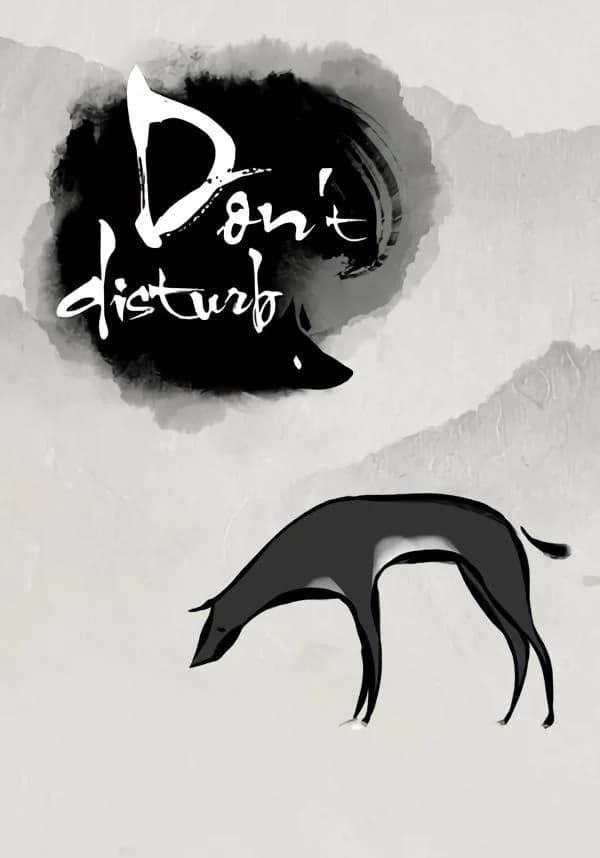
Don't Disturb


In Asian folklore it is said that when there's a funeral you don't sing, don't play, and most importantly “Don't Disturb”!
In the traditionally timid and reserved cultures of Asia how do people approach and accept the idea of “death”? What is the "afterlife"?
“Don't Disturb” is a single-player puzzle adventure game with a beautiful and unique 2D style. The carefully crafted story explores the traditional Asian views on the afterlife and the underworld. You must explore this mysterious world as a dog, looking for its owner who has passed away. The dog will need to solve many puzzles and make it through unexpected encounters as it makes its way to the “Bridge of Helplessness” in search of its owner. On the way you will need to make decisions that will determine how the tale ends.
“Don't Disturb” is an unforgettable and gorgeous story that players will both relate to and be surprised by.
Just remember…“Don't Disturb”!
Features
- Explore the beautiful yet mysterious underworld
- Investigate otherworldly items to solve puzzles
- Converse with the underworld's denizens to complete tasks and learn tales
©2016 Midnight Party. All Rights Reserved. Licensed to published by PQube Limited.
Вы получите на электронную почту ключ для активации в сервисе Steam. Активируйте его одним из этих способов.
Способ 1: Через приложение Steam на ПК
1. Откройте приложение Steam на своем компьютере.
В левом верхнем меню нажмите на раздел «Игры».
В выпадающем списке выберите пункт «Активировать в Steam...».
Введите полученный код активации и нажмите «Далее».
Следуйте подсказкам на экране, чтобы завершить активацию.
Всё готово! Игра появится в вашей Библиотеке, и вы сможете начать установку.
Способ 2: Через сайт Steam в браузере
Этот способ удобен, если вы совершили покупку с телефона или другого устройства.
1. Перейдите на страницу активации Steam в своем браузере:
https://store.steampowered.com/account/registerkey
Убедитесь, что вы авторизованы в своем аккаунте Steam.
Введите полученный код активации в специальное поле.
Поставьте галочку, чтобы принять «Соглашение подписчика Steam».
Нажмите кнопку «Продолжить».
Готово! Игра будет привязана к вашему аккаунту и появится в Библиотеке, когда вы в следующий раз запустите клиент Steam.
Важно: Код активируется на том аккаунте Steam, в который вы его ввели. Перенести игру на другой аккаунт будет невозможно.